Getting Started with MasWallet Integration
1. Log in to MasChain Enterprise Portal
- Go to MasChain Enterprise Portal Mainnet or Testnet.
- Sign in with your enterprise portal account.
- Navigate to API Key.
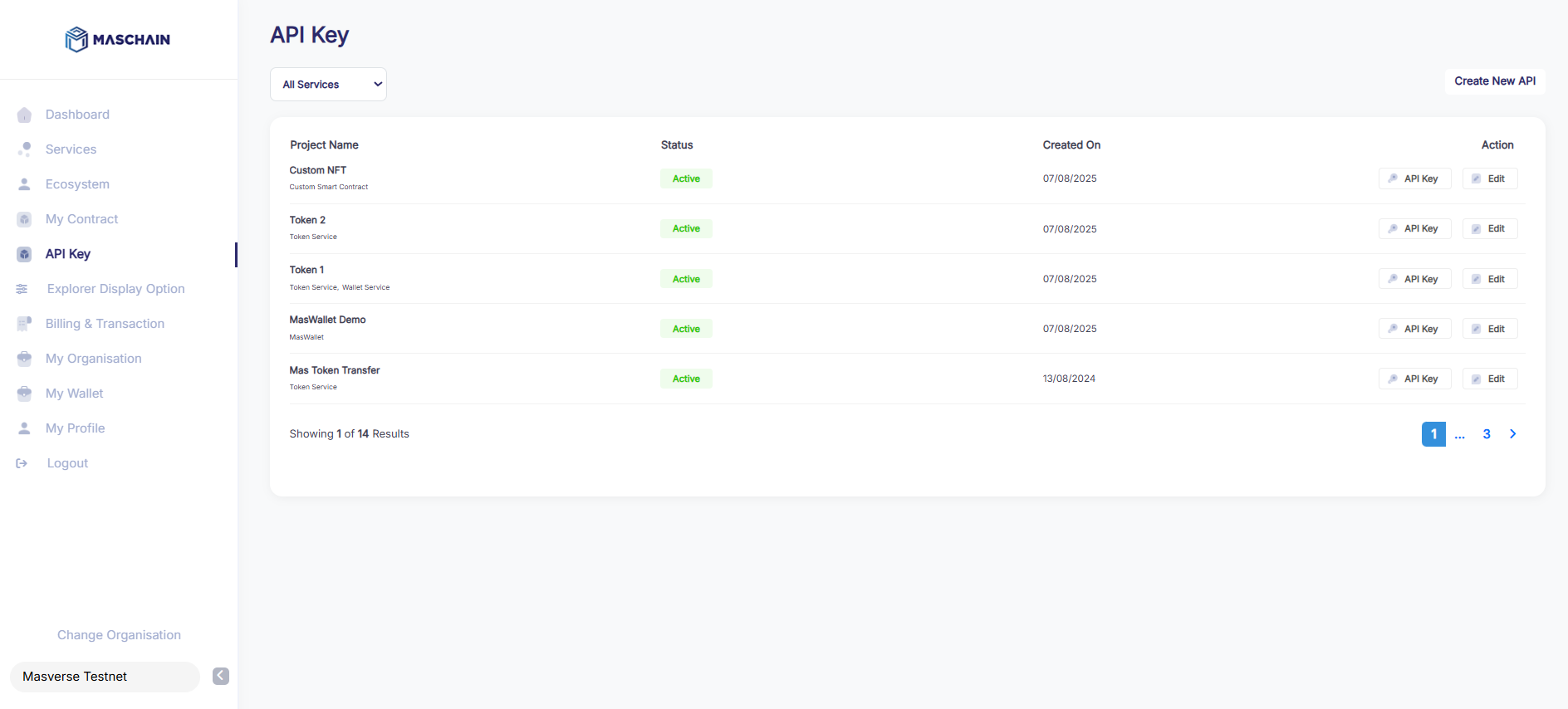
2. Generate an API Key
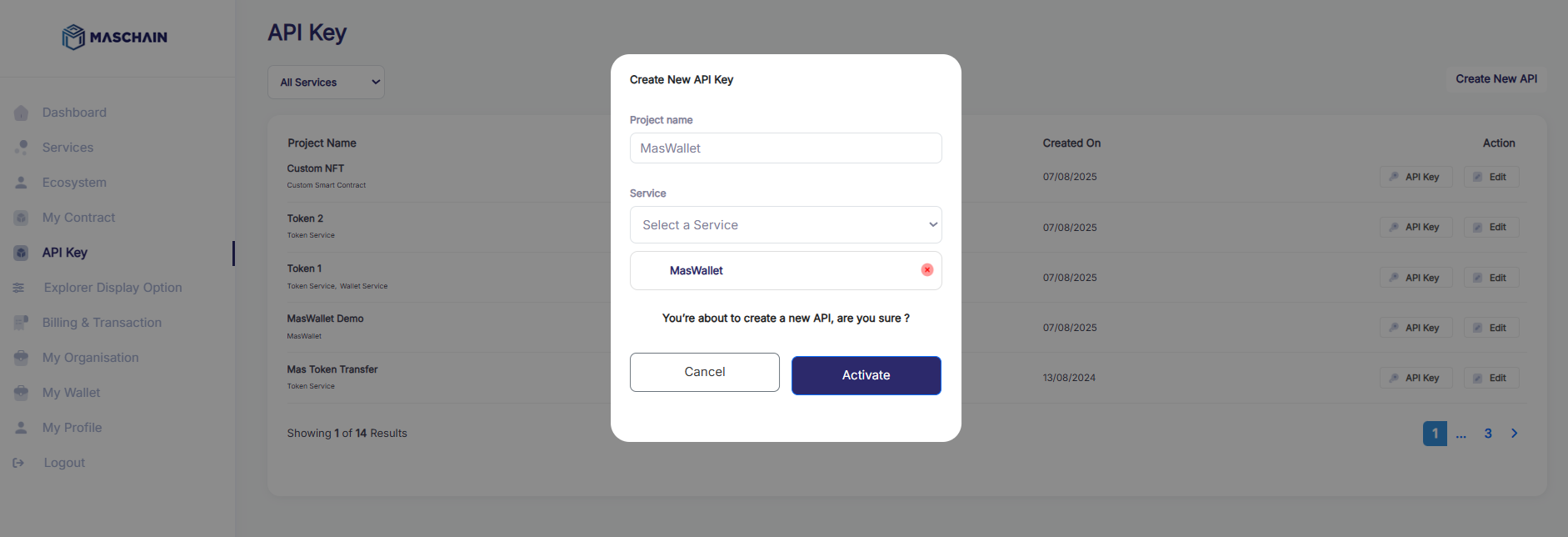
- Click Create New API.
- Add a Project Name.
- Select MasWallet in the Service dropdown box.
- Click Activate.
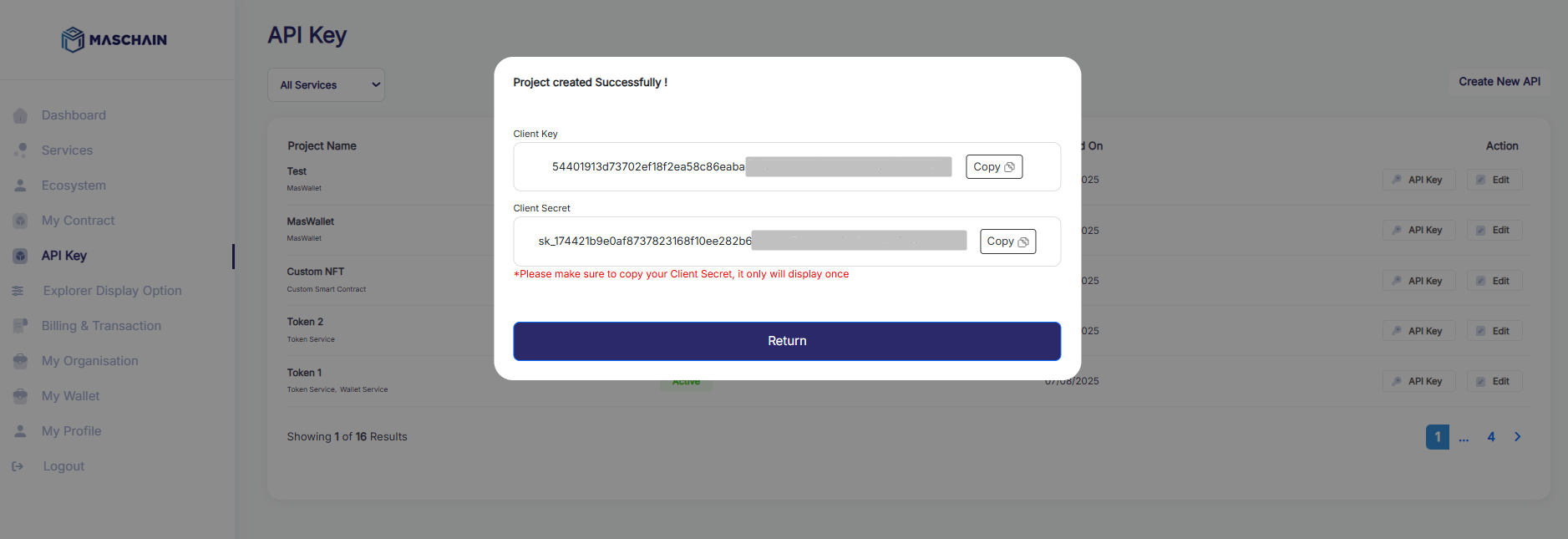
You will receive:
Client KeyClient Secret
Store these credentials securely. Once Client Secret is lost, you will not able to recover the keys and are required to create a new API key.
3. Start Integrating!
Initialize the client
const client = new ApiClient({
  apiClientId: '<YOUR_API_KEY>',
  apiClientSecret: '<YOUR_API_SECRET>',
  baseUrl: 'https://wallet-api.maschain.com', // Optional: defaults to MasWallet's official base URL
});
4. MasWallet SDK Documentation
To integrate MasWallet programmatically, you can use the official SDK.
📦 Node.js SDK
You can find the MasWallet Node.js SDK on npm:
Use this SDK to:
- Authenticate users with MasWallet
- Interact with wallet APIs
- Request and sign blockchain transactions
Make sure to check the README on NPM for installation instructions, usage examples, and API references.